By Antonio Garcia May 24, 2024 6 min
Sage 50 is a leading-edge accounting application that enables users to handle their accounting data and communicate seamlessly using the correct SMTP settings and passwords. However, when sending an email, you may experience an SMTP authorization error that can interfere with the process. To rectify this error, you need to check and confirm that your SMTP settings are passwords are correct. Some other factors can also promote this error. Worry not! We will discuss the potential reasons behind the issue and how to resolve Sage email SMTP error by implementing some effective solutions. Let’s find out!
+1-844-341-4437
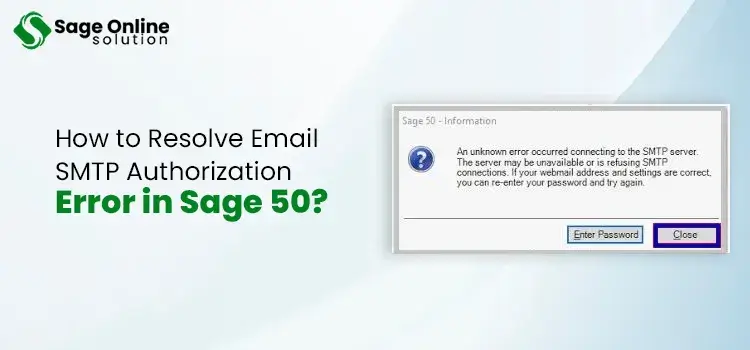
When emailing documents from within the Sage 50 application, you may receive an error, which prevents you from connecting to the remote server. Therefore, you won’t be able to send emails from the program. On the arrival of this error, you will also get an error message with the text:
‘Unable to send all emails

A recent change made by Microsoft to one of their SMPT servers can affect certain email providers that utilize the smtp.live.co.uk server. Implementing the solutions based on the possible reasons can put this error to an end.
Also Read: Sage 50 Data Won’t Export Excel
Incorrectly configured SMTP settings are one of the most apparent reasons behind the error. Some other potential reasons that can hinder the email in Sage 50 are:
Now that the factors that can obstruct you from sending emails from Sage 50 are known, you can fix them with the specified solutions. Some of the best solutions are explained below:
You can configure your email account for Sage 50 to enable sending and receiving emails from within the Sage 50 application. Run the following steps to accomplish it:
If the SMPT is disabled in the MS 365 admin server, you need to enable it by executing the following steps:
Sometimes, your Firewall or antivirus application can also block Sage 50 from sending emails. Therefore, changing the Firewall settings can help you resolve Sage 50 email SMTP error:
Using a MAPI-compliant email program in place of the webmail can be an effective solution to this error. Know how you can do it:
Also Read: Rectify SagePay Error 4020
We have discussed some effective troubleshooting measures in this post that can help you resolve Sage 50 email SMTP error. You need to implement the steps cautiously to ensure their effectiveness. However, if the error persists or you need additional help with troubleshooting, you can seek professional assistance. They can provide one-on-one assistance to make this tiresome process easier for you.
+44-800-810-1881
Frequently Ask Questions (FAQs)
What is SMTP?
SMTP stands for Simple Mail Transfer Protocol and it defines a process of data exchange between an email client and an email server. Email client is an application, which enables users to send, receive, and manage emails on their preferred devices. An email server on the other hand, is a computer or central hub for email communication that manages the flow of messages between email clients and the internet.
Does updating Sage 50 resolve Sage 50 email SMTP error?
Yes! If the email application and Sage 50 are not consistent or compatible with each other, the error can take place. Updating Sage 50 can keep the compatibility issues as well as SMTP authorization error at bay.
Why is it important to review the SMTP Server error message in Sage 50?
If you receive an error message while sending an email from the Sage 50 accounting program, it is important to review the error message. It can provide you with crucial insight into the error, such as the possible reason or the prompts that can be helpful in the error resolution.
How to test email settings within Sage 50?
Sage 50 has a Test Email feature that allows you to check and verify if the email settings are working correctly. If this test fails, you can re-check the settings and make the necessary changes. Thus, you can resolve Sage 50 email SMTP error.

Jun 01, 2026
Jun 01, 2026
Jun 01, 2026
May 22, 2026
May 12, 2026
© Copyright 2026 Sage Online Solution | All Rights Reserved
US
UK

