By Antonio Garcia Jan 08, 2026 6 min
Tax season is all about endless spreadsheets, fear of potential manual errors, and too much stress for business professionals. Fortunately, with the advent of Sage accounting software and its expansion of Sage Making Tax Digital, the rules are evolving, and probably, the stakes are higher.
No doubt, Sage unites the gap between complicated HMRC requirements and your regular workflow, automating the tedious processes, so that you can return to managing your core business operations.
Here’s everything you need to learn about making the seamless switch to Sage MTD, excluding the stress of manual tax management.
Certainly, for businesses charging VAT, Sage Making Tax Digital is compulsory. As a complete suite of HMRC-approved software solutions, MTD is specifically designed to help businesses of all sizes and types, sole traders, and landlords comply with the rules and regulations amended to digitalize the tax system.
As we’ve welcomed 2026, businesses are now focusing not just on VAT, but beyond, which is the major rollout of Making Tax Digital for Income Tax Self-Assessment (ITSA). It’s one of the biggest changes in the tax system.
Being a complete accounting solution, MTD automates keeping digital records and submitting tax returns directly to the government. What’s most fruitful about this utility is that it replaces the manual and tedious spreadsheets and paper ledgers with digital links.
Ensuring that your financial data smoothly flows from your daily bookkeeping into the mandatory VAT or Income Tax submissions, prominently reducing the risk of human error and late-filing fines, Sage Making Tax Digital works beyond mere compliance. Also, it offers real-time visibility with detailed insights into your cash flow management and tax liabilities.
Tax management is no longer limited to manual entries, bookkeeping, and recording. Making Tax Digital is a new and innovative way of managing tax. For accurate and seamless VAT submission on returns from Sage 50 accounts, go for Sage Making Tax Digital download and installation:
Before you make submissions to HMRC, log in to the Sage 50 accounts MTD portal. For this, perform the steps below:
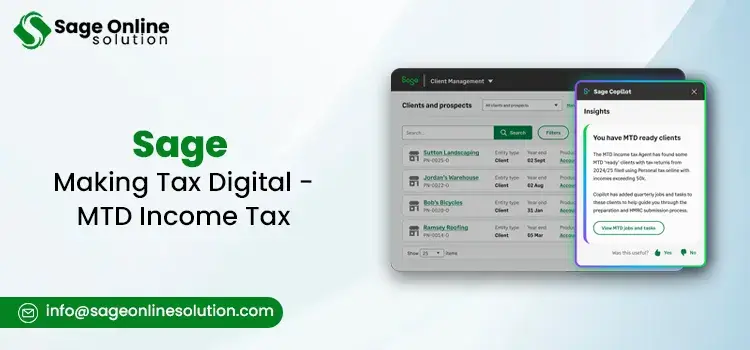
Beyond any doubts, Sage Making Tax Digital for Income Tax is designed to turn the way sole traders and landlords interact with HMRC. It simplifies all the confusing tasks of the January scramble of 2026, offering you a more organized, automated, and visible financial year.
Here is how Sage specifically helps you manage the new MTD:
1. Automated “Digital Links”
HMRC demands a “digital link” between your records and their system to maintain consistency. Sage MTD fulfils this by:
2. Effortless Quarterly Updates
You need to send a summary to HMRC every 3 months, rather than a single giant return. Here, Sage MTD for income tax helps:
3. Real-Time Tax Visibility
The compatible software Sage Making Tax Digital ensures real-time tax visibility by requiring digital record-keeping and allowing frequent, automatic updates to HMRC throughout the year. Eventually, there will be no more surprises, and you will enjoy perks such as:
4. Simplified “Final Declaration”
At the end of the tax year, Sage pulls together your four quarterly updates and any other income, such as savings interest or dividends.
It pre-fills your Final Declaration based on the data you’ve already provided. By this, the only step left is just a quick verification of the numbers you’ve tracked all year.
5. Collaboration With Accountants
Sage MTD for Income Tax offers solutions, specifically within Sage for Accountants platform.
Being a Pro utility, it enhances collaboration by offering a unified cloud system that ensures real-time data. Moreover, it:
When you operate Monzo and Sage together, you get a powerful partnership, specifically designed to streamline the tedious tasks of sole traders, small business owners, and landlords as well. The direct integration of the two programs allows professionals to directly manage both the accounting and compliance.
Well, there’s more to learn about how the integrated Monzo Sage making tax digital tool can benefit. Have a look:
Eliminates The Need For specific software
For most small business owners or sole traders, purchasing the complete Sage 50 accounts subscription to only manage taxes could be a surplus. Right? Fortunately, the integration of Monzo and Sage helps with:
Effortless Compliance With “Digital Links”
Making tax digital Sage HMRC rules specifically require “digital links” to maintain accuracy, transparency, and compliance between your records and your submission. These digital links reduce the potential human errors, provide digital audit trails for tax data, and ensure completeness.
Smarter Tax Preparation Solutions
Business owners can avail the benefits of Tax Pots through the Monzo Sage making tax digital tool. Basically, these are designated digital sub-accounts by Sage that help business professionals cover their tax liabilities. Furthermore, the integrated tool acts as a smarter tax-preparation software by:
Simpler Record Keeping
By shifting your bank account into a live accounting ledger, the combined Monzo and Sage tax software ensure more streamlined record keeping. Through features, including unified digital link compliance, snap-and-link receipt capture, real-time tax-pots, and on-the-go categorization, the integration helps business professionals.
Readiness For MTD For Income Tax (ITSA)
While MTD for VAT is already here, Sage MTD for Income Tax is the next big hurdle, which is starting in April 2026.
The integrated tool is specifically created to handle the upcoming requirement for quarterly updates to HMRC, making a once-a-year headache into a small, a few-minute task every three months.
Beyond any doubts, the approach of making tax digital Sage significantly differs, depending on whether a user has a modern subscription-based version or an older ledger system. For former software, Sage generally uses a standalone MTD Submissions Module that acts as a bridge to HMRC.
Below, we have specifically mentioned how Sage 50, Sage 100, and Sage 200 MTD modules work:
Formerly known as Sage Line, Sage 50 Accounts is a standard edition, specifically designed for the majority of UK businesses. Within the modern version, such as v24.2 and above, there’s no need for a separate module, as the MTD is built in.
Also, by utilizing Sage Line 50 making tax digital submissions module, users are allowed to take data from their former software version and submit the same to HMRC through the module’s interface.
Sage 100 is primarily for US Sales tax, and can be operated globally as well. Within this generation, the MTD is not available. To access the Making Tax Digital Sage, users need to upgrade to Sage 200.
Talking about Sage Line 100, which is for UK legacy users, again, they need to migrate to Sage 200 to stay compliant with respect to the MTD rules for the specific line.
Specially designed for mid-market businesses with more complex VAT requirements, such as partial exemption or multiple sites, and more, Sage 200 serves owners in various aspects. Sage 200cloud is fully integrated with MTD.
By automatically handling the digital links requirement, Sage 200 Making Tax Digital module pulls the data from the nominal ledger and secures a connection to the Sage database.
Sage has its own Enterprise legacy systems – Sage Line 500 and Sage 1000. However, users operating any of these two ERP programs have a direct path for making tax digital compliance, eliminating the need for immediate migration to Sage X3 or Intacct.
With the specific release of the MTD Submissions Module for Line 500 (v5.5+) and Sage 1000 (v2, v3, and v4), users are allowed to communicate with HMRC’s modern API.
As a holistic approach, Sage 50 allows integration with various other business software, such as Shopify, WooCommerce, CRM, Inventory and Warehouse management, automated bookkeeping, and much more.
While Sage is a hub for hundreds of integrations, Shopify is among the popular choices. Integrating your Sage 50 with Shopify helps you establish a connection, allowing your Shopify data to seamlessly flow into Sage software.
However, Shopify calculates taxes at the point of sale, while Sage 50 does it depending on the internal tax codes. That’s where most users think about how to manage Shopify sales tax in Sage 50. If you’re wondering about the same, here’s how you can do so:
Use An E-Commerce Integration Application Such As A2X
Undoubtedly, Sage 50 accounts – making tax digital HMRC acts as a direct and secure bridge between the HMRC system and your local accounting data. Along with this, it helps you eliminate manually calculating tax figures and managing everything automatically. With MTD integration, your tax submissions are compliant, accurate, and faster.
Let’s have a quick discussion to learn how Sage makes tax digital simplifies your overall sales tax submissions:
Direct API Submission
Before the arrival of MTD, you had to log into the HMRC website and manually enter numbers into Boxes 1 through 9. But now with the direct API submission, you get the advantage of a “No-Portal” Approach.
Sage uses an Application Programming Interface (API). By this, whenever you click the “Submit” button in Sage 50, the software sends the data directly to HMRC’s servers.
Automation Of “Digital Links”
As discussed above, the HMRC rules need a “digital link” between your records and the HMRC system, which is from the first transaction to the final submission.
Sage automatically records invoices, expenses, and bank feeds, aggregating everything into the VAT return. As a result, you don’t have to copy data between spreadsheets, which meets the HMRC’s strict audit requirements automatically.
Real-Time VAT Calculation And Validation
Hands down, Sage accounting software tax digital doesn’t just send numbers; it verifies them first. Before the HMRC submission, Sage 50 runs a “VAT Verification” check.
What’s the best thing about this MTD-integrated program? It flags possible issues, such as duplicate transactions, manual changes that lack an audit trail, or tax codes that don’t match the transaction type. Providing you with the visible signs helps you avoid sending incorrect data to HMRC in the first place.
Integrated Record Keeping For Audits
Be aware while calculating your VAT figures. Why? It’s because whenever HMRC audits your business, they want to see exactly how you have managed your VAT figures.
Every Sage accounting software tax digital submission is recorded automatically with a unique HMRC Correlation ID. You can simply click on any past submission and examine it to verify each transaction that made up that specific return.
Streamlined Management Of “18-Month Token”
Don’t you think constant logins can hamper your digital security? Well, with Sage MTD, you get the benefit of an 18-month token, which is a digital key and one of the crucial Sage accounting software sales tax features. It allows your Sage 50 to communicate with HMRC without forcing you to log in every time.
Once you authenticate Sage with your Government Gateway ID, it creates a secure 18-month token that lasts for 18 months. As a result, it allows you to file multiple quarterly returns without the need to manually find your HMRC password every time.
Choosing Sage Making Tax Digital is not just about compliance; it’s beyond! It’s a wise investment that makes a big difference to your business’s overall growth. Don’t you think ensuring transparency, complete control, and compliance gives you confidence in tax submissions? Well, it’s a big Yes! To manage your sales or income taxes before the deadline arrives, partner with Sage MTD. For professional help and further guidance, just connect with us at +1-844-341-4437.
Frequently Asked Questions
Sage is a complete suite for entrepreneurs, helping them manage finances, taxes, and overall accounting. Sage accounting software sales tax primarily manages sales taxes with the help of built-in automation features. With the advanced MTD integration, Sage helps professionals meet the HMRC requirements for tax submission.
Sage tax advisory model offers integrated cash flow forecasting and transparent pricing tools.
These tools allow businesses to move from basic compliance to higher-value advisory services. By automating data entry, accountants free up time to provide real-time strategic insights that help clients minimize tax liabilities and drive business growth.
Firstly, you need to sign in to your Sage 200, and then sign up for HMRC for MTD. Make sure to correct the settings, and then continue accessing the VAT submission tab within the ledger settings. Afterward, enter your contact details, and then continue saving the settings by choosing the OK option.
Yes. Sage Making Tax Digital HMRC offers recognized payroll features, helping you simplify your processes, including tax calculations, ensuring HMRC requirements are met.
Simply, contact our expert team of Sage professionals at +1-844-341-4437. You can have a one-on-one conversation with our experts to know all the ins and outs of Sage Making Tax Digital.

Mar 24, 2026
Mar 23, 2026
Mar 19, 2026
Mar 13, 2026
Mar 13, 2026
© Copyright 2026 Sage Online Solution | All Rights Reserved
US
UK

