By Antonio Garcia Jan 09, 2026 6 min
Sage Tax Codes are a critical part of running accurate accounting and tax reporting inside Sage accounting systems like Sage 50. Whether you’re entering sales invoices, matching vendor bills, or preparing tax returns, the right tax code determines how tax is calculated and reported and getting this wrong can lead to reporting errors, compliance issues, or costly audits. In this guide, we’ll explain everything you need to know about how tax codes work in Sage, what some of the common codes represent, and how to manage them correctly for your business using the correct Sage tax code setup.
Contact our experts +1-844-341-4437 for help setting up, reviewing, or correcting your Sage tax codes, we can help prevent mistakes before they affect your reports.
Sage Tax Codes are essentially labels that tell your accounting system how to treat tax on a particular transaction. Within Sage 50 and similar Sage platforms, each transactional line, whether an invoice, bill, credit, or adjustment can be assigned a tax code that instructs the system on the appropriate tax treatment.
At a high level, Sage tax codes control how taxes are calculated, recorded, and reported across your accounting data. These tax codes Sage uses are built into the tax engine of the software and are designed to align with standard accounting and tax reporting requirements.
What Tax Codes Do In Sage?
Sage tax code tells Sage whether tax applies to a transaction and, if it does, which tax rates should be used. Once a tax code is assigned, Sage automatically calculates tax on customer invoices, vendor bills, and other transactions, and then includes those values in tax reports.
In practice:
Correct usage of Sage Tax Codes ensures that tax amounts flow properly into financial statements and tax filings, reducing compliance risk.
Why Proper Tax Code Setup Matters?
Using the right Sage Tax Codes is not just a technical detail, it directly affects the reporting:
Incorrect configuration of Sage tax codes can lead to misstatements, incorrect filings, or penalties.
Where To Find Tax Codes In Sage?
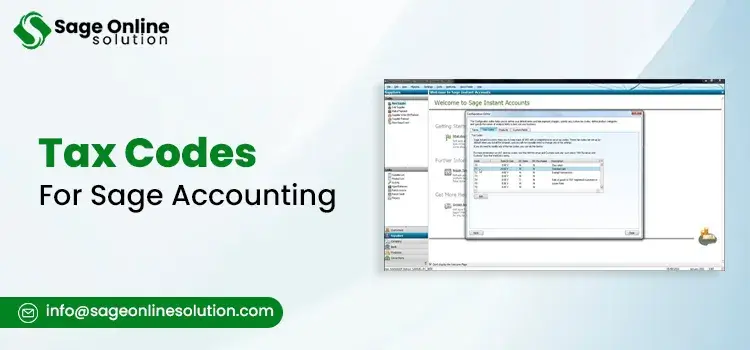
In Sage 50, Sage tax codes are managed under:
From here, users can review the existing codes, update the rates, or can even add new entries. Businesses with large tax setups often rely on tools like the Sage tax code finder to quickly locate and apply the correct code during data entry.
Real World Examples
Sales Invoice Example
A customer invoice that is using a standard taxable code will automatically calculate sales tax and will include it in reports that are tied to your Sage Tax Codes configuration.
Non-Taxable Transaction Example
A bank transfer or internal adjustment may use a non-vatable code that keeps the transaction out of tax reporting altogether. Using the correct Sage tax code ensures the transaction is excluded properly.
To understand how Sage Tax Codes affect your books, it helps to look at how they operate behind the scenes in Sage accounting systems. Tax codes aren’t just labels, they are part of Sage’s tax engine, which determines how transactions are calculated, recorded, and reported throughout your accounting workflow.
Wwhen the transaction is being made, Sage also analyzes the taxation code related to it and uses the set of rules contained in that code. This also covers whether it is subject to taxation, what rates should be charged, and how it will be recorded in the general ledger.
Tax Calculation Workflow In Sage
When you enter a transaction in Sage, the system follows a structured process:
This process ensures consistency across sales, purchases, credits, and adjustments, provided the correct Sage Tax Codes are used from the start.
Sales vs Purchase Tax Code Behaviour
One important detail is that Sage tax codes can behave differently depending on whether they are applied to sales or purchase transactions.
This is an important differentiation for those businesses that file periodic tax returns, because incorrect setup can misstate both revenue and expenses.
Default Tax Codes And Automation
Sage allows users to assign default tax codes at multiple levels:
When defaults are configured correctly, Sage automatically applies the code during data entry which in turn reduces manual errors. However, automation only works when defaults are reviewed regularly and aligned with actual business activity.
For companies managing a large number of codes, using Sage tax code finder makes it easier to locate and assign the correct option without scrolling through long lists.
Impact On Tax Reports
Every tax report in Sage including sales tax summaries and detailed tax transaction reports pulls data directly from your Sage Tax Codes setup. If a transaction uses the wrong code, it will appear incorrectly in these reports or be excluded entirely.
This is why accountants often review tax code assignments before filing returns or preparing financial statements. A small coding error repeated across transactions can create major discrepancies.
Common System-Level Issues
Even when users understand tax codes conceptually, issues can still arise due to:
These issues are common and often go unnoticed until reporting time.
Contact our experts +1-844-341-4437 if you’re unsure whether your Sage tax workflow is configured correctly. A professional review can identify errors early and help ensure your Sage tax codes are working exactly as intended.
Understanding the most common usages of Sage Tax Codes is very important for accurate accountancy and compliant tax reporting. Although the exact setup may vary depending on the type of business and jurisdiction, Sage supplies a standardized platform that assists users in applying rules on taxes consistently in every transaction.
Standard Taxable Codes
Standard taxable codes are used for transactions where tax must be calculated and reported at the normal applicable rate. These codes are typically assigned to most sales invoices and taxable purchases.
In many systems, these codes form the backbone of the Sage tax codes list, as they are applied to the majority of day-to-day transactions. When a standard tax code is selected, Sage automatically:
Businesses using Sage 50 often rely heavily on these default setups, which is why reviewing Sage 50 tax codes during implementation or audits is critical.
Zero-Rated And Exempt Tax Codes
Zero-rated and exempt tax codes are frequently misunderstood, but the distinction is important.
Both types usually appear in a complete Sage 50 tax codes list, but they serve different compliance purposes. Zero-rated transactions often still appear on tax returns, while exempt ones may not, it actually depends on the reporting rules.
Correct classification ensures that your Sage Tax Codes align with regulatory requirements and that reports accurately reflect taxable activity.
Non-Taxable And Out Of Scope Codes
Certain transactions fall completely outside the scope of tax reporting, such as internal transfers, bank movements, or owner contributions. These transactions use non-taxable or out-of-scope codes.
These entries are included in many versions of Sage tax codes list, but they are designed to:
Incorrect use of these codes is a common issue and can cause legitimate taxable transactions to be omitted from tax filings.
Special And Adjustment Tax Codes
Special tax codes are used for adjustments, corrections, or unique tax treatments. These may include:
Because these codes affect historical data, they should be carefully reviewed by an accountant. In Sage 50 environments, these are often customized beyond the default Sage 50 tax codes, making documentation especially important.
For businesses using Sage 50, the basic understanding of how Sage Tax Codes are structured within the software is essential for maintaining accurate books and compliant tax reporting. While Sage 50 comes with predefined tax codes, these are often customized to fit a company’s specific tax obligations and transaction types.
Where Tax Codes Found In Sage 50?
In Sage 50, tax codes are managed through the system settings menu. You can find a full list of active and inactive codes. This centralized location allows businesses to review, edit, or deactivate codes as needed. For many users, this screen effectively serves as the working Sage 50 tax codes list, showing how each code behaves during transactions.
Default Sage 50 Tax Code Structure
Sage 50 typically provides a baseline setup that includes Standard taxable codes, Zero-rated or exempt codes, and Non-taxable or out-of-scope codes.
These defaults form the foundation of Sage 50 tax codes, but they are rarely perfect out of the box. Businesses often need to adjust rates, rename codes for clarity, or add new ones to reflect local tax rules.
Even small changes should be documented, as incorrect customization can affect how Sage Tax Codes feed into reports and returns.
Customizing Tax Codes In Sage 50
Customization is one of the strengths of Sage 50, but it also introduces risk if changes are made without understanding the implications.
Common customizations include:
Because these changes directly impact reporting, reviewing your Sage 50 tax codes list after any modification is a best practice.
Common Mistakes In Sage 50 Tax Code Setup
Some of the most frequent issues seen in Sage 50 environments include:
These mistakes often go unnoticed until tax returns are prepared. At that point, correcting errors can be time-consuming and may require adjustments across multiple periods.
Regular reviews of Sage Tax Codes within Sage 50 help ensure:
Many businesses schedule periodic reviews as part of their month-end or year-end closing process to reduce long-term risk.
Although every company is unique in terms of tax structure, there are tax codes that appear regularly on the Sage system. Knowledge on the meaning of such tax codes is crucial in avoiding mistakes during the reporting process.
Below you’ll find the most commonly referenced Sage Tax Codes you’ll encounter in day-to-day accounting.
T0 tax code sage is typically used for transactions that are taxable in nature but charged at a 0% rate. This means the transaction is still recognized for tax reporting purposes, even though no tax amount is calculated.
Using Sage T0 tax code is appropriate when:
Because Sage T0 tax code transactions are included in reporting, misusing this code can cause confusion if it’s applied to transactions that should be completely outside the scope of tax.
T2 tax code Sage is often associated with partial or reduced tax scenarios. Depending on the configuration, this code may apply a reduced rate or represent a specific tax treatment required by certain jurisdictions or transaction types.
Sage T2 tax code is commonly used when:
Since Sage T2 tax code behaviour can vary based on setup, it’s important to review how the code is configured before applying it broadly.
T9 tax code Sage is widely used for transactions that are completely outside the scope of tax reporting. This includes entries that should not appear on tax returns at all.
Typical uses for Sage T9 tax code include:
Using Sage T9 tax code incorrectly on taxable sales or purchases is a common error and can result in under-reporting tax liabilities.
Some businesses also use codes like Sage tax code T15 or Sage tax code T21, depending on how their tax environment is structured.
These codes are used for special tax rates, industry-specific requirements, and unique reporting scenarios.
Because these codes are often customized, businesses should document their purpose clearly and ensure consistent usage across all transactions.
Why Understanding Individual Codes Matters?
Each tax code within Sage carries specific reporting logic. Even when two codes appear similar, they can behave very differently within tax reports.
So, having a clear understanding of how individual Sage Tax Codes function helps make sure that:
Choosing the correct tax code for every transaction is one of the most crucial steps in maintaining correct records. Even when Sage Tax Codes are set up correctly, there are still chances for errors to occur if users select the wrong code during data entry or rely on expired defaults.
Key Factors To Consider Before Assigning A Tax Code
Before selecting a tax code, it is very important to evaluate the nature of the transaction. Key questions include:
Answering these questions helps narrow down which Sage Tax Codes apply and reduces the risk of misclassification.
Using Defaults To Reduce Errors
Sage allows users to assign default tax codes at multiple levels, including:
When defaults are aligned with real-world activity, Sage will automatically apply the appropriate code during transaction entry. The result is a significant reduction in manual errors, but only if defaults are reviewed on a regular basis.
For systems with a large number of codes, Sage tax code finder makes it easier to locate the correct option quickly, especially when working from a comprehensive Sage tax codes list.
Reviewing Tax Codes At The Transaction Level
Even with defaults in place, users should always review the tax code applied to each transaction line. Line level tax codes override customer or vendor defaults, which can be helpful but also dangerous if applied incorrectly.
Best practice is to:
This approach helps ensure Sage Tax Codes behave predictably in reports.
Consistency Across The Organization
One of the most common problems that businesses face is inconsistent tax code usage across departments or users. This often happens when:
Establishing clear internal guidelines for using Sage tax codes can dramatically improve accuracy and reduce cleanup work later.
Contact our experts +1-844-341-4437 if you’re not sure about which tax code applies to your transactions. We will review your setup, and help ensure your Sage system remains compliant and audit ready.
Even businesses that use Sage daily can run into issues if Sage Tax Codes are not reviewed and managed carefully. Many tax-related problems don’t come from complex transactions; they come from small, repeated mistakes that compound over time.
Understanding these common pitfalls can help prevent reporting errors and compliance risks.
Using The Wrong Tax Code For Taxable Transactions
Common amongst the mistakes is the use of non-taxable or out-of-scope codes for transactions that are taxable. This may occur through the reliance on default settings or a lack of understanding of what a code represents.
When incorrect tax codes are used on taxable sales or purchases, tax may not be calculated or reported correctly, leading to underpayment or overpayment.
How to avoid it:
Confusing Zero-Rated And Out Of Scope Codes
Zero-rated transactions and out-of-scope transactions are not the same, but they are often treated that way in practice.
Misusing these can create compliance issues. Ensuring the correct Sage Tax Codes are applied prevents this confusion.
Leaving Outdated Tax Codes Active
Over time, businesses may stop using certain tax codes, but leave them active in the system. These inactive or outdated codes can accidentally be selected and used incorrectly.
Reviewing your full Sage tax codes setup periodically helps ensure only relevant codes remain available for use.
Not Reviewing Reports Until Filing Time
Another common issue is checking tax reports only when the returns are due. Often, mistakes will have taken place during many periods, so corrections will be necessary in each of those periods.
Instead, reviewing tax reports regularly helps catch issues early and ensures Sage Tax Codes are functioning as intended.
Lack Of Documentation And Training
When users aren’t trained on how to apply tax codes or when documentation doesn’t exist, inconsistent usage becomes inevitable.
Clear guidelines and periodic training help ensure everyone applies Sage tax codes the same way, reducing errors across the system.
The proper handling of Sage Tax Codes is necessary for proper reporting and accounting. This process becomes more streamlined for businesses of any size and prevents many costly mistakes.
Contact our experts +1-844-341-4437 for a full review, setup guidance, or troubleshooting. We help businesses ensure that Sage Tax Codes are applied accurately and efficiently across all transactions.
Appropriate use of Sage Tax Codes are extremely important for proper accounting, tax compliance, and efficient financial transactions. Constant checks, appropriate training, and prudent allocation of tax codes, such as T0 tax code Sage, T2 tax code Sage, or T9 tax code Sage are necessary for avoiding any mistakes in tax transactions. Contact our experts +1-844-341-4437 to review, optimize, or troubleshoot your Sage Tax Codes setup and ensure your accounting system runs efficiently and remains fully compliant.
Frequently Asked Questions
Sage Tax Codes are those names referred to in Sage accounting software that define how taxes should be allocated when transactions occur. They handle the way taxes are processed and recorded in the general ledger of an organization. Applying Sage Tax Codes correctly helps in preparing accurate financial statements.
You can make use of Sage tax code finder available in Sage 50 to identify the correct tax code easily. Checking out the tax codes available in Sage 50, based on transaction type, can also help you avoid using wrong tax code.
T0 tax code Sage applies 0% tax but still requires taxation as part of the report. T2 tax code Sage applies to partial/exempt tax and requires use for reduced tax scenarios. T9 tax code Sage applies to the transaction that’s not subject to tax.
Yes, you can personalize codes as per your business requirements with Sage. You can modify rates, create new codes, or allocate codes to certain accounts. However, you should double check Sage 50 tax codes to make sure you are getting accurate reports.
Using wrong Sage Tax Codes can result in incorrect tax liabilities, audit risks, and financial statements that are incorrect. Regular review and training can help reduce the chances of errors throughout your accounting system.

Mar 24, 2026
Mar 23, 2026
Mar 19, 2026
Mar 13, 2026
Mar 13, 2026
© Copyright 2026 Sage Online Solution | All Rights Reserved
US
UK

