By Antonio Garcia Jan 21, 2026 6 min
The W9 Tax Form is one of those documents most people encounter at some point but rarely understand until it becomes urgent. If you’ve ever worked as a freelancer, independent contractor, or business owner, chances are someone has asked you for a W9 before releasing payment. While it looks simple at first look, filling it out incorrectly can lead to delays, backup withholding, or tax reporting issues.
This guide breaks everything down about what the form is, why it matters, and how to fill out a W9 form correctly without overthinking or overdoing it. Whether you’re new to contract work or running a growing business, this article covers it all.
For complete and accurate information on how to fill out a W9 form, please contact our experts +1-844-341-4437.
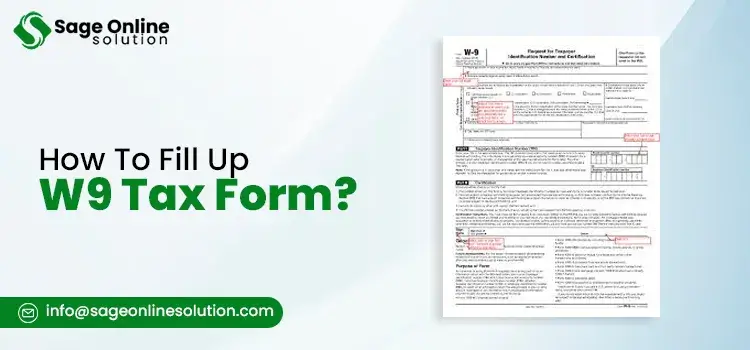
The W9 Tax Form which is officially called the Request for Taxpayer Identification Number and Certification is an IRS document that is used to collect accurate information of the taxpayer from individuals and businesses that receive income in the United States. Unlike many other tax forms, a W9 form is not sent to the IRS by the person completing it. Instead, it’s provided to the company or individual that is paying you. That payer then uses the information on the form to prepare tax documents such as Form 1099-NEC or 1099-MISC at the end of the year.
At its core, the W9 Tax Form exists to answer three critical questions for the payer:
The form collects your legal name, business name if applicable, address, federal tax classification, and either your Employer Identification Number (EIN) or Social Security Number (SSN). This information allows the payer to stay compliant with IRS reporting rules and avoid penalties for incorrect filings.
| Aspect | Details |
|---|---|
| Issued by | Internal Revenue Service (IRS) |
| Who fills it out | Payees (contractors, vendors, businesses) |
| Who receives it | The payer (client or company) |
| Primary use | Accurate income reporting via 1099 forms |
| Filed with IRS | No (kept by the payer) |
Anyone who earns income outside of the traditional employment scene may be asked to complete a W9. The form helps the payer report payments correctly, and in many cases, submitting it is a condition for getting paid. Understanding who needs to provide one, and why, also makes how to fill out a W9 form much clearer.
Independent contractors are the most common group required to complete a W9. If you provide services to a company but aren’t on payroll, the business needs your taxpayer information to report what they pay you. Freelancers, consultants, designers, writers, developers, and gig workers typically fall into this category.
Business entities are also frequently asked for a W-9. Single member LLCs, multi member LLCs, partnerships, and corporations may all need to submit one, depending on how they’re actually structured and how they receive payments. Even if your business operates under a registered name, the W9 Tax Form must reflect the legal name and tax classification recognized by the IRS.
Vendors and service providers who receive payments for rent, professional services, commissions, or other qualifying income are another group that often needs to complete a W-9. This applies whether the payer is a small business, a large corporation, or even another independent contractor.
It’s worth noting that employees do not fill out W-9s. Employees complete a W-4 instead, since taxes are withheld from their paychecks. If you’re being asked for a W-9, that’s a strong sign you’re being treated as a non-employee for tax purposes.
Note For Foreign Persons: The W9 is strictly for U.S. persons. If you are a foreign individual or a foreign business entity, you should not fill out a W-9. Instead, you will likely need to complete a Form W-8BEN or W-8BEN-E to certify your foreign status and claim any applicable tax treaty benefits.
| Entity Type | Is A W9 Required? | Notes |
|---|---|---|
| Individual contractor | Yes | Most common use case |
| Sole proprietor | Yes | SSN or EIN may be used |
| Single-member LLC | Yes | Classification matters |
| Partnership | Yes | Uses EIN |
| C Corporation | Sometimes | 1099 rules may vary |
| S Corporation | Sometimes | Often exempt from 1099s |
Understanding whether you’re required to submit a W9 helps you respond quickly when a client asks for one, and reduces back and forth. Once that’s clear, the next step is knowing when and why the form is requested in the first place.
Note: The One Big Beautiful Bill Act (OBBBA) has increased the reporting threshold. For the 2026 cycle the traditional $600 threshold for filing Form 1099-NEC or 1099-MISC has been increased to $2,000. Payers are now generally only required to request a W-9 and issue a 1099 if payments to you exceed $2,000 in a calendar year.
To avoid payment delays, backup withholding, or IRS reporting issues, consult our experts +1-844-341-4437 and make sure your W-9 is completed correctly from the start.
Before completing a W9, having the correct documents and details ready can save time and prevent costly mistakes. Below is a clear breakdown of what you should review beforehand, especially if you’re learning how to properly fill out a W9 form for the first time.
1. Legal Name vs Business Name
It is important to always use your legal name that corresponds to your IRS records. In the case of individuals and sole proprietorships, your name would be your own, even if you are operating your concern under another business name or DBA.
2. Tax Classification
Confirm your current tax classification before filling out the form. Whether you’re filing as an individual, sole proprietor, LLC, partnership, or corporation affects how your income is reported and taxed. This classification must be matching with how you file your federal tax returns.
3. SSN vs. EIN
Select the correct taxpayer identification number. In some cases, individuals and single member businesses use a Social Security Number, and businesses that are registered use an Employer Identification Number. Using the wrong one can delay payments or trigger IRS follow-ups.
4. Address Consistency
Make sure that the address that you’re entering in the form, matches the records of the IRS. Outdated addresses can give rise to processing issues and maybe even missed tax documents later on.
Understanding how to fill out a W9 form correctly is important for anyone who is receiving their income as a contractor, freelancer, or business entity in the United States. The W9 is used to provide accurate information of the taxpayer to the party paying you, and even small errors here can lead to delayed payments or IRS issues. Below is a clear, line-by-line walk-through of the current IRS Form W9, that’ll help you to complete it with confidence.
Line 1: Legal Name
This line requires your legal name as recognized by the IRS. For individuals, this is the name shown on your federal tax return. Sole proprietors must enter their personal name here, not their business name. If you’re unsure how to fill out a W9 form properly, remember that Line 1 should always match IRS records exactly, no nicknames or abbreviations.
If you are a Single Member LLC that is disregarded for tax purposes, do not enter the LLC’s name on Line 1. Instead, enter the owner’s individual legal name. The name of the LLC belongs on Line 2 (Business Name). Using the LLC name on Line 1 for a disregarded entity is the most frequent cause of IRS name matching errors.
Line 2: Business Name
Line 2 is optional and used only if you operate under a business name, trade name, or DBA (Doing Business As). This is common for freelancers or sole proprietors who brand themselves under a company name. Entering a business name here does not replace the legal name in Line 1. Many people learning how to fill out form W9 mistakenly reverse these two lines, which can cause reporting mismatches.
Federal Tax Classification
In this section, you’ll select your federal tax classification. Options include sole proprietor/individual, C corporation, S corporation, partnership, or LLC (with the appropriate tax designation). This choice must align with how you file your taxes.
For those checking the Limited Liability Company box, you must also provide the specific tax classification code in the adjacent ‘Enter the tax classification’ space (Tax classification box or Line 3 code box). Enter ‘C’ for C Corporation, ‘S’ for S Corporation, or ‘P’ for Partnership. Leaving this code blank can result in your form being rejected by the payer. Selecting the wrong classification is one of the most frequent errors people make when figuring out how to fill out a W9 form accurately.
Line 3b (Foreign Partners)
In the 2024 revision of the W9, the IRS added Line 3b. This box must be checked if your entity is a partnership, trust, or estate (including an LLC taxed as a partnership) that has any direct or indirect foreign partners, owners, or beneficiaries. This helps the payer determine if additional international reporting (such as Schedules K-2 or K-3) is required.
Exemptions
Most individuals and small businesses will leave the exemption fields blank. These sections are generally reserved for bodies that are excluded from FATCA reporting or backup withholding, such as certain corporations or government agencies. If you’re uncertain whether you qualify, it’s better to leave this blank than guess. This step is often overlooked by those learning how to fill up a W9 form, but incorrect exemptions can raise red flags.
Address
You have to enter your current mailing address, including city, state, street address, and ZIP code. This should be the address where you receive your tax documentations like Form 1099. Make sure the address is consistent with IRS records to avoid delays. Paying attention to details like this is key when understanding how to fill the W9 form correctly from start to finish.
TIN (SSN Or EIN)
Taxpayer Identification Number has to be entered correctly. Individuals or maybe even Sole proprietors typically use a Social Security Number, while businesses usually provide an Employer Identification Number. Be sure to double check every digit before submitting. A single incorrect number can invalidate the form, especially when learning how to fill out a W9 form for a business or handling multiple clients.
Note For Single-Member LLCs: Even if your LLC has an EIN, the IRS generally prefers that you use the owner’s Social Security Number (SSN) if the LLC is a disregarded entity. Sole proprietors must use their SSN, not an EIN, on Line 1. If you previously used an EIN for your sole proprietorship, you should submit a fresh W9 with your SSN to avoid a ‘B-Notice’ penalty (which has increased to $340 per occurrence for 2026 mismatch errors). This ensures the income is correctly tied to the owner’s individual tax return.
Certification And Signature
By signing the W9, you’re certifying that the information that you have provided is correct and that you’re not subjected to backup withholding (unless noted). Date and Sign the form using your legal name. An unsigned W-9 is considered incomplete and may result in delayed payments.
By signing, you are certifying under penalties of perjury that your TIN is correct and you are a U.S. person. Providing false information on a W-9 can lead to a $500 civil penalty or even criminal prosecution if done fully to evade taxes. This final step is just as important as knowing how to fill out a W9 form in the earlier sections.
New For 2026: The January 2026 revision of the W9 introduced specific requirements for digital assets. If you are a digital asset broker, W9 Tax Form includes a new checkbox in Part II. This allows certain brokers to certify their status and claim an exemption from specific information reporting requirements under Form 1099-DA. Additionally, a new Exempt Payee Code ’14’ has been introduced for digital asset transactions exempt from backup withholding through 2026.
Common Errors
| Line | Common Mistake | How To Avoid? |
|---|---|---|
| Line 1 | Using a nickname | Use IRS-registered legal name |
| Line 3 | Wrong entity type | Match IRS tax classification |
| TIN | Incorrect number | Double-check before submitting |
Taking the time to review each line carefully can prevent unnecessary issues later. Whether you’re new to freelancing or an experienced business looking to update your business files, having the knowledge on how to fill out a W9 form correctly is an important part of making sure your details remain accurate, up-to-date, and tax-ready.
Want to be sure every line of your W-9 is filled out correctly? Connect with our experts +1-844-341-4437 for step-by-step assistance and avoid costly mistakes.
Completing a W9 digitally is now common, especially for freelancers, remote workers, and businesses. Below is a clear, step-by-step breakdown explaining how to fill out W9 form online while keeping your information accurate and secure.
Understanding how to fill out W9 form online the right way helps you stay compliant while protecting your personal data.
Ensure your digital W9 is compliant, secure, and properly submitted. Get expert support from our professionals +1-844-341-4437 today.
Knowing how to sign W9 form electronically has become a compulsion as digital workflows are replacing the paper processes. The IRS permits electronic signatures on W9 forms but only when they meet specific criteria that are made to ensure the signer’s identity and intent, so you don’t always need to print or scan a physical copy.
Here’s a clear breakdown of your options:
Many people wonder how to sign a W9 form online or how to sign a W9 form online. The core answer is that you can do it as long as the system you’re using ensures identity verification, captures intent to sign, and preserves the form with a secure audit trail.
Electronic Signature Options
| Method | Accepted? | Notes |
|---|---|---|
| Secure digital signature (e.g., e-signature platforms) | Yes | Best for compliance and audit trails |
| Typed name with consent/checkbox | Yes (with conditions) | Must associate name with intent and record consent |
| Uploaded scanned handwritten signature | Yes | Commonly accepted if clear and intact |
| Handwritten on touchscreen/stylus | Yes | Captured via compliant software |
| Simple typed name without verification | Sometimes | Depends on requester’s policy and security practices |
Using a compliant signing method not only makes your workflow faster but also keeps your W9 secure and legally valid under IRS and federal e-signature standards.
If you’re asked to provide a W-9, knowing where to access a legitimate version of the form is important for accuracy and security. Many people ask where I get a W9 tax form, but the true answer actually depends on how you plan to complete and submit it. Below are some of the most reliable and commonly used sources.
Always avoid unofficial or outdated sources, as submitting an incorrect W9 can cause payment delays or tax reporting issues.
Understanding where do I get a W9 form for my business and how it applies across different states can be confusing, especially when many resources label the form with a state name. Here’s a clear, no‑nonsense explanation.
Key Point: The W‑9 is a federal tax form issued and maintained by the IRS. It is not state-specific, and the same form is used nationwide regardless of where your business operates. Forms labeled like W9 form CT, W9 form MA, W9 form NC, W9 form OHIO, or W9 form ALABAMA are usually just local copies provided by a state agency or business for convenience, but they are still the exact same federal form you would download from the IRS.
Here’s how to access and use it:
Where To Access The W9 For Your Business?
Why Do People Search By State?
Future‑Proofing For 2026
Bottom Line: Your business uses one federal W‑9 form, no matter the state. Focus on getting the latest IRS version and completing it accurately to ensure compliance.
Even experienced taxpayers are prone to make errors when learning how to fill out a W9 form, and these mistakes usually lead to delays in payments or IRS follow-ups. Below are the most common errors and how to avoid them:
Avoiding these mistakes will make sure that your W-9 is processed smoothly, the payment delays are prevented, and your tax reporting is accurate. Also, always double-check each section, verify your information, and use the official IRS form to stay compliant.
The W9 Tax Form is an important document that needs to be used by individuals and companies for entering the right tax information for taxpayers. Learning how to fill out a W9 form helps avoid mistakes, delays in payments, and issues with taxes from the IRS. Being proactive about keeping updated tax forms and submitting them via an electronic or hard copy submission method helps avoid taxes and financial issues. And in case you need any assistance about this W9 Tax Form, please do contact our experts +1-844-341-4437.
You May Also Read:
Frequently Asked Questions
You can get your W9 form directly from the official IRS website to make sure that it’s the latest version. Many employers or clients may also provide a copy for convenience.
The simplest way is to download the IRS W9 fillable PDF from the official site. Some accounting platforms and vendor portals also offer secure digital versions for completion.
To fill up the W9 form, start by entering your legal name and business name (if applicable), select your federal tax classification, provide your SSN or EIN, fill in your address, and sign the form.
You can sign using an e-signature platform, attach an image of your hand-written signature scan, or sign by typing your name where accepted. Your document will remain legal.
Yes, you can fill out the form electronically using the IRS fillable form or reputable accounting software as long as the requesting party will accept an electronically filled form.
A C corporation is a type of business entity that is taxed apart from its owners. When completing a W9, you would check this box if your business filing status with the IRS is a C corporation.
To properly fill out a W9 form, make sure you are using your legal name, TIN, and your address matches the IRS records, be sure to select the correct tax classification, and sign the form. Using the official IRS form prevents mistakes and ensures compliance. For better assistance connect +1-844-341-4437.
If you are a foreign person or a foreign business, you should not use Form W9. Instead, you must complete the appropriate W-8 series form (usually Form W-8BEN for individuals or W-8BEN-E for businesses) to establish your foreign status.

Mar 02, 2026
Mar 02, 2026
Feb 25, 2026
Feb 20, 2026
Feb 19, 2026
© Copyright 2026 Sage Online Solution | All Rights Reserved
US
UK

