By Antonio Garcia Nov 16, 2023 8 min
Even if your business is making great sales, it’s quite common to mistake a profit sheet for actual, spendable cash. That’s exactly why your Profit and Loss statement only tells half the story. Often, your cash is lying in unpaid invoices and inventory, making you struggle to pay bills. To see where your money actually is, you need to look at your Sage 50 Cash Flow Statement. You can connect with Sage live experts at +1-844-341-4437 for deeper insights. In this post, we will discuss more about the Cash Flow Statement, what it shows, how to run it, and common mistakes to avoid.
Sage 50 Cash Flow Statement helps you understand the actual financial position of your business. It specifically tells you about the cash entering and leaving your business over a period. The tool connects your balance sheet and your income statement by tracking the actual cash flow across three core business pillars:
1. Operating Activities
The day-to-day revenue-generating activities, such as cash collected from customers and cash paid to suppliers.
2. Investing Activities
Cash spent on or earned from long-term assets, such as buying a company vehicle, purchasing equipment.
3. Financing Activities
Cash flow related to borrowing money, paying off loans, or owner investments.
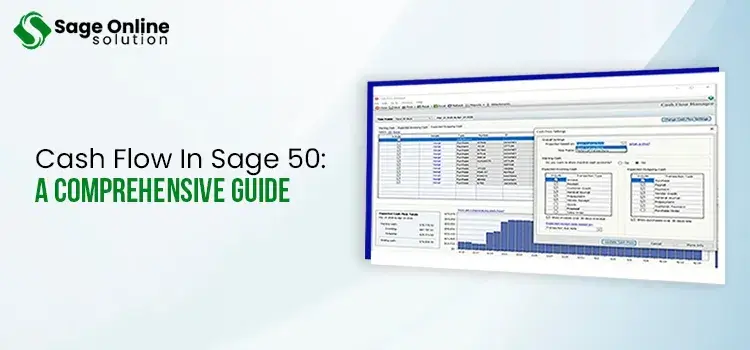
Sage 50 Cash Flow report mainly shows your specific bank activities and projects future cash flow over a period. It has three main sections: Starting Cash, Expected Incoming Cash, and Expected Outgoing Cash, concluding in a forecasted closing balance.
The report shows the following key components:
The Cash Flow report in Sage 50 shows where your money has been, but Sage 50 Cash Flow forecast shows where your money is going. It helps you predict your future liquidity by analyzing your expected incoming cash, outgoing expenses, and current bank balances.
Below are the primary uses of Sage 50 Cash Flow Forecast:
Identifies Cash Shortfalls
The forecast helps you identify upcoming periods where expenses might exceed income. It allows you to ensure funding or avoid non-essential purchases.
Planning Expenditures
Assesses the affordability of large purchases, expansions, or hiring, based on projected rather than current cash.
Tracking Invoices and Bills
Integrates seamlessly with your ledger to factor in due dates for accounts receivable and accounts payable.
Manual Adjustments
Allow you to perform manual adjustments, such as adding a potential loan or an anticipated tax payment to the forecast without altering your actual accounting records.
Creating Sage 50 Cash Flow statements is easy as the software itself generates them automatically using your existing ledger data. Now, carry out the prompts below:
If you are looking to forecast your cash inflows and outflows rather than generating a historical statement, you have the option of using the Cash Flow Manager tool. Here’s how to use it:
If you need to create accurate forecasts, maintain healthy liquidity, and customize financial reports to your specific business operations, you must modify the cash flow statement in Sage 50.
To modify the statement cash flow in Sage 50, you need to adjust the report’s layout and edit account categories in your Charts of Accounts. Also, you can use the Cash Flow Manager for custom forecasting.
Now, follow these stepwise methods to modify Sage 50 cash flow statement:
Method 1 – Modify Report Settings
Method 2 – Adjust Account Types And Classes
If your cash flow statement is showing incorrect totals or missing lines, such as depreciation or sales of assets, your general ledger accounts may be misclassified.
Method 3 – Change Forecasts In Cash Flow Manager
If you are modifying a forecast Cash Flow in Sage 50 rather than a historical statement:
Cash flow forecasting software for Sage 50 helps financial managers avoid manual data entry and guesswork by syncing seamlessly with your accounting data. It predicts future cash positions, proactively flags potential cash gaps, and improves decision-making regarding vendor payments, payroll, and business growth.
Cash Flow Forecasting software for Sage 50 users can avail the following operational advantages:
Automatically pulls live accounts payable, accounts receivable, and bank ledger data directly from Sage 50 to generate accurate, up-to-date cash positions.
Identifies exactly when you are at risk of running out of cash. It allows you to ensure proper funding or modify spending before the problems occur.
Allows you to address “what-if” situations, such as the financial impact of hiring new staff, purchasing equipment, or handling seasonal revenue dips.
Removes the tedious and error-prone process of manually building complex forecasts in external spreadsheets.
Sage 50 Cash Flow Statement also identifies outstanding customer invoices and tracks overdue receivables to ensure cash is flowing into the business on time.
Sage 50 cash flow statement and forecast are the ultimate tools to manage financial operations with complete peace of mind. Instead of guessing your next month’s expenses, you will have the real-time data needed to make proactive, smart, and confident business decisions. If you need help customizing your Sage 50 financial templates or setting up your forecast, contact our live Sage 50 expert team at +1-844-341-4437.
Read Here:
CIM50 Manufacturing For Sage 50

Jun 18, 2026
Jun 15, 2026
Jun 01, 2026
Jun 01, 2026
Jun 01, 2026
© Copyright 2026 Sage Online Solution | All Rights Reserved
US
UK

