By Antonio Garcia Jun 15, 2026 8 min
If you use Sage 50 for your accounting but struggle with its restricted manufacturing capabilities or you’re still running the discontinued Sage 50 Manufacturing module, CIM50 Manufacturing for Sage 50 is your solution. Call at +1-844-341-4437 to know more from our live Sage experts. Now, you don’t need to migrate to a massive, expensive ERP system. CIM50 is the ultimate, seamless upgrade designed specifically to give Sage 50 users like you total control over production, scheduling, and materials. Continue reading to learn more.
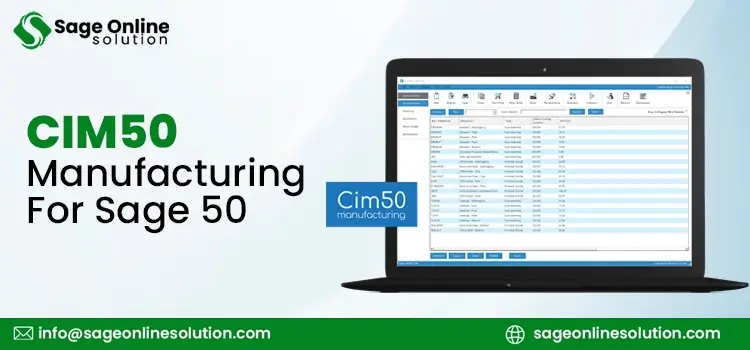
Sage has discontinued support and services for Sage 50 Manufacturing. CIM50 Manufacturing for Sage 50 can be an excellent replacement for businesses seeking a manufacturing solution. This comprehensive, modular manufacturing and production software provides Sage 50 users with advanced production, stock, and planning tools without requiring them to switch to a massive, expensive ERP system.
When integrated with Sage 50, users can get benefits for:
Integrating CIM50 Manufacturing software for Sage 50 accounts is simple. CIM50 is specifically developed as a modular replacement for the discontinued Sage 50 Manufacturing. It actually reads from and writes directly to Sage 50 database.
Here’s how how to set up the integration:
Step 1: System And Server Requirements
Before the installation, ensure your system is ready with the following requirements:
Step 2: Run The CIM50 Installer And Database Link
When you install CIM50, carefully perform the prompts below:
Step 3: Data Migration
If you are transitioning from the discontinued Sage 50 Manufacturing module, use Cim50’s data migration tool.
Step 4: Configure Shared Fields
Once integrated, CIM50 effectively manages stocks to avoid database conflicts.
Choosing CIM50 Manufacturing software for Sage 50 aligns your basic accounting with complex production environments. It provides small-to-medium manufacturers with powerful, end-to-end operational tools without forcing them to abandon their familiar Sage 50 financial foundation.
Below, we have listed the 5 major reasons for opting Cim50 Manufacturing:
1. It’s An Official Recommendation
When Sage officially ended the technical support and services for its legacy native Sage 50 Manufacturing product, it officially recommended CIM50 as its replacement.
Unsupported Sage 50 software can leave your data vulnerable and prevents you from accessing newer Sage 50 Accounts updates. Moving to Cim50 ensures your software is continually updated, compliant, and secure.
2. Enhanced Core Features
Cim50 doesn’t just replicate the old Sage module, but it’s a major improvement of Sage 50 features. It adds over 100 native manufacturing features that Sage 50 lacks, including:
3. Risk-Free, Direct Database Sync
Unlike third-party software that relies on fragile API or nighttime bulk imports, CIM50 operates on a live server sync service.
4. Smart Material Planning And Cash Flow Management
CIM50’s Material Requirements Planning is not about the guesswork. It accurately scans your customer orders, open works orders, lead times, and current warehouse counts to tell you exactly what to buy and when to buy it. This helps you avoid costly production delays, ensuring capital isn’t in excess raw material inventory.
5. Advanced Costing
As discussed above, Cim50 is a comprehensive manufacturing system designed to enhance and extend Sage 50 Accounts.
Cim50 manufacturing solutions for Sage 50 suite have 7 key modules, offering specialized tools to streamline your manufacturing workflows:
This helps in managing multi-level BOMs with routings and allows users to track detailed costs of materials, labor, overheads and roll up sub-assembly costs into your final products.
To maintain inventory accuracy from a single platform, CIM50 has a stock control module. It adds batch and serial number quarantine management, traceability, and advanced stock features to Sage 50. As a result, it helps you freeze transactions during counting.
Manage the entire production cycle, from raw material issues to sub-assembly. You can get actual costs against standard estimates and monitor shop floor capacity.
This module of CIM50 manufacturing for Sage 50 module has a feature that generates “Just-In-Time” (JIT) plans, enabling you to meet delivery deadlines, reduce surplus stock holding, and improve cash flow.
Quickly calculate costs and generate pricing for break quantities. You can effortlessly convert quotes into sales, purchase, or work orders.
Process transactions using barcode scanners on handheld tablets or workshop PCs. This tracks time spent on operations and monitors employee productivity in real-time.
Streamline the shipping and distribution process, generate dispatch documentation for orders, and automatically sync with your sales and nominal ledgers in Sage.
CIM50 isn’t a one-size-fits-all ERP system meant for multinational corporations. It is highly targeted software, built for specific types of companies, team sizes, and industries.
If your business fits into the categories below, CIM50 is designed for you:
Scaling your manufacturing business shouldn’t mean leaving the accounting software you know and trust. CIM50 Manufacturing for Sage 50 users is an official recommendation after the discontinuation of Sage 50 Manufacturing module. It offers exact tools businesses like you need to eliminate spreadsheets, automate inventory planning, and maximize shop floor efficiency.
Ready to streamline your operations without the expensive price tag of a massive ERP migration? Call at +1-844-341-4437 for live Sage 50 assistance to learn more.
Also Read:
Sync Shopify Inventory Data With Sage 50
Contact Sage 50 Live Chat Expert

Jun 15, 2026
Jun 01, 2026
Jun 01, 2026
Jun 01, 2026
May 22, 2026
© Copyright 2026 Sage Online Solution | All Rights Reserved
US
UK

